In today’s fast-evolving digital age, content is no longer king — hybrid content is. Whether you are a brand, entrepreneur, influencer, educator, or media company, the need to operate across multiple platforms — audio, video, livestreams, written, and visual — is no longer optional. It’s survival.
But here’s the truth:
The quality of your content is directly tied to the quality of your setup. If you’re asking:
“What equipment do I need for a hybrid content studio?” — you’re already ahead of the game.
This guide goes beyond a checklist. It’s a blueprint for those who are serious about building a brand, creating authority, and generating long-term value — all from your own studio, big or small.
Why You Must Build a Hybrid Content Studio — Now
Think of your content studio not just as a room with gear, but as a growth engine that drives your:
-
Visibility across all platforms
-
Audience retention and engagement
-
Revenue through monetization and credibility
-
Authentic branding and storytelling
You need to move fast. Why? Because consumers now demand more than just one format. They watch, listen, scroll, and search — often at the same time. If you’re only producing one type of content, you’re leaving money and impact on the table.
Essential Equipment for a Hybrid Content Studio
Below is a complete breakdown of what you’ll need to create high-quality video, audio, and livestream content — from anywhere in the world.
1. Camera Setup
You don’t need to start with the most expensive camera, but you do need to ensure clarity, focus, and flexibility.
-
Entry-Level: DSLR or Mirrorless Camera (Canon EOS M50, Sony ZV-E10)
-
Advanced: Sony A7S III, Panasonic Lumix GH6
-
Webcam Alternative: Logitech Brio 4K, Elgato Facecam
✅ Tip: Invest in a tripod and gimbal to stabilize your footage. A shaky camera is an instant turn-off.
2. Microphones (Audio Matters More Than You Think)
If your audio sucks, people bounce. Period.
-
USB Mic (Beginner): Blue Yeti, Rode NT-USB
-
XLR Mic (Pro): Shure SM7B, Rode PodMic with Audio Interface (Focusrite Scarlett)
-
Lavalier (for mobility): Rode Wireless GO II
✅ Tip: Add pop filters and boom arms to reduce unwanted sounds and increase professionalism.
3. Lighting: Create Mood and Clarity
Lighting isn’t optional. It’s the difference between looking “home-made” vs “Netflix-level.”
-
Ring Light (Affordable): Neewer 18-inch
-
Softbox Kit (Professional): Godox, GVM Lighting Kits
-
Accent Lights: RGB Lights for mood (Nanlite, Aputure MC)
✅ Tip: Use a 3-point lighting setup: key light, fill light, and back light for depth and clarity.
4. Green Screen & Backdrops
Want to transport yourself to a newsroom, outer space, or branded background? Use:
-
Collapsible Green Screens
-
Printed Backdrops
-
Virtual Backgrounds with OBS/Streamlabs
5. Capture Cards and Streaming Gear
For livestreams, gaming, or connecting DSLRs to computers:
-
Elgato Cam Link 4K
-
ATEM Mini Switchers (for multi-cam setup)
-
Stream Deck (Elgato) for quick controls
✅ Tip: These tools enhance interactivity and are a must for podcast interviews, webinars, or online courses.
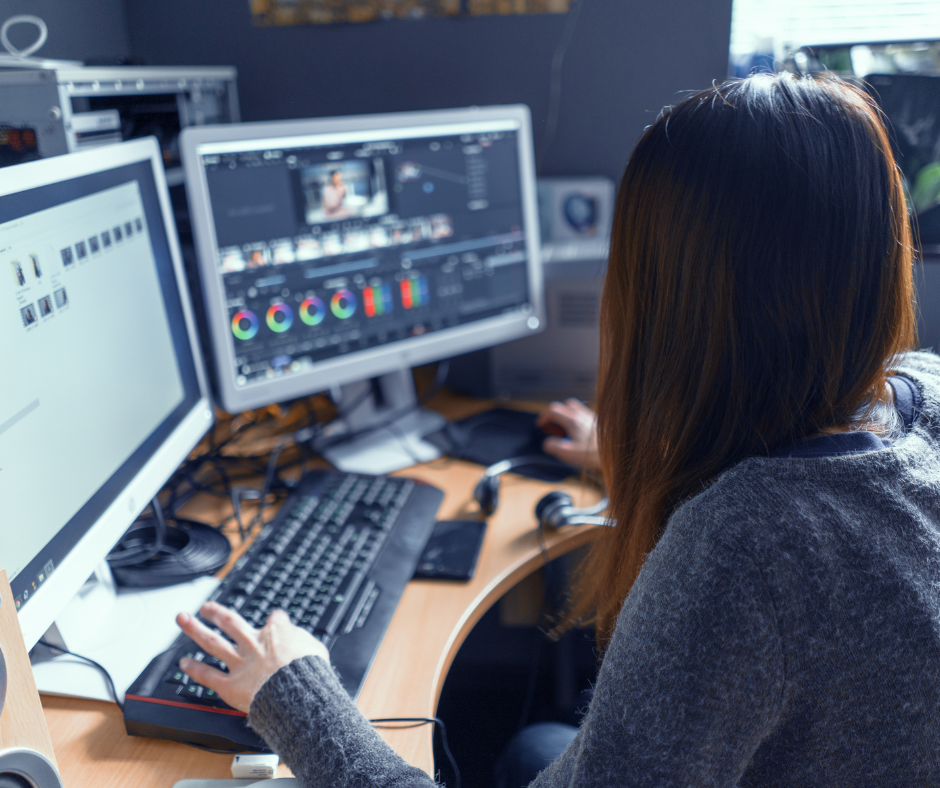
6. Computer & Software Setup
Your editing, streaming, and uploading rely on powerful tools.
-
Laptop/Desktop Specs: i7/i9 or M1/M2 Chips, 16GB+ RAM
-
Editing Software: Adobe Premiere Pro, Final Cut Pro, DaVinci Resolve
-
Audio Software: Audacity, Adobe Audition, GarageBand
-
Livestream Software: OBS Studio, Streamlabs, Restream
✅ Tip: Use external SSDs for fast storage and backups. Cloud storage (Dropbox, Google Drive) is non-negotiable.
7. Internet & Networking
Your studio is only as good as your internet connection.
-
Minimum: 50 Mbps Upload Speed
-
Recommended: Wired Ethernet Connection
-
Extras: Mesh WiFi systems, backup mobile hotspot
8. Furniture & Ergonomics
Aesthetic and comfort matters.
-
Desk with cable management
-
Ergonomic chair
-
Acoustic panels for soundproofing
✅ Tip: Build a dedicated creative space that encourages consistency.
Final Thoughts: This is More Than Gear. It’s Your Growth Accelerator.
Building a hybrid content studio is an investment in your voice, your value, and your vision. Every day you delay is a day your message, brand, or business goes unheard.
Now is the time to take action.
Not next month. Not when you’re “ready.” Now.
The digital world is waiting. The algorithms are waiting.
But more importantly — your audience is waiting.
Make your content unforgettable.
Make your brand unstoppable.
Related Posts

Emotions, Engagement & the Power of Connection
It’s Time to Rethink How We Lead, Communicate, and Connect…
Mastering the Perfect Lighting Setup for YouTube Videos: The Secret to Creating Visuals That Stop the Scroll
In a world where attention spans are shrinking fast, your…
The Creative Studio Blueprint: Building a Powerhouse Space for Artists and Entrepreneurs Ready to Rise
Every artist and entrepreneur reaches a pivotal moment where creativity…